Planning
Intent becomes executable steps.
The AI reads your instruction, plans the browser actions, and keeps the run anchored to what a user should experience.
Testorim opens soon.Join the waitlist
Testorim does not inspect a screenshot and guess. It launches Chromium, turns plain-English intent into steps, interacts with your app like a user, and returns the artifacts needed to understand what happened.
Intent
User describes a browser flow.
Plan
AI turns it into executable steps.
Run
Chromium clicks, types, navigates.
Report
Evidence becomes a readable summary.
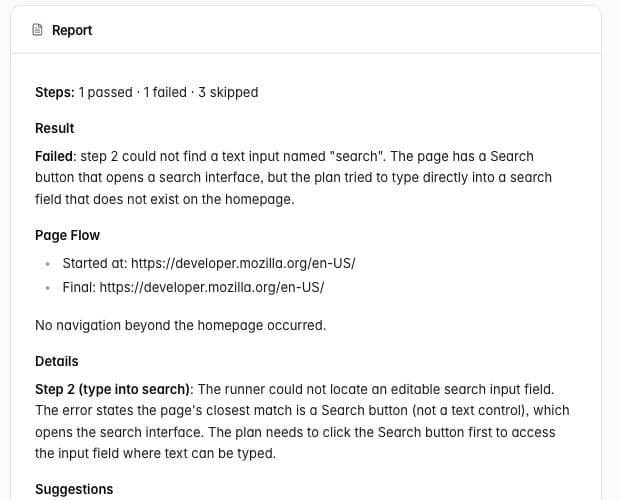
AI report generated with run evidence attached.
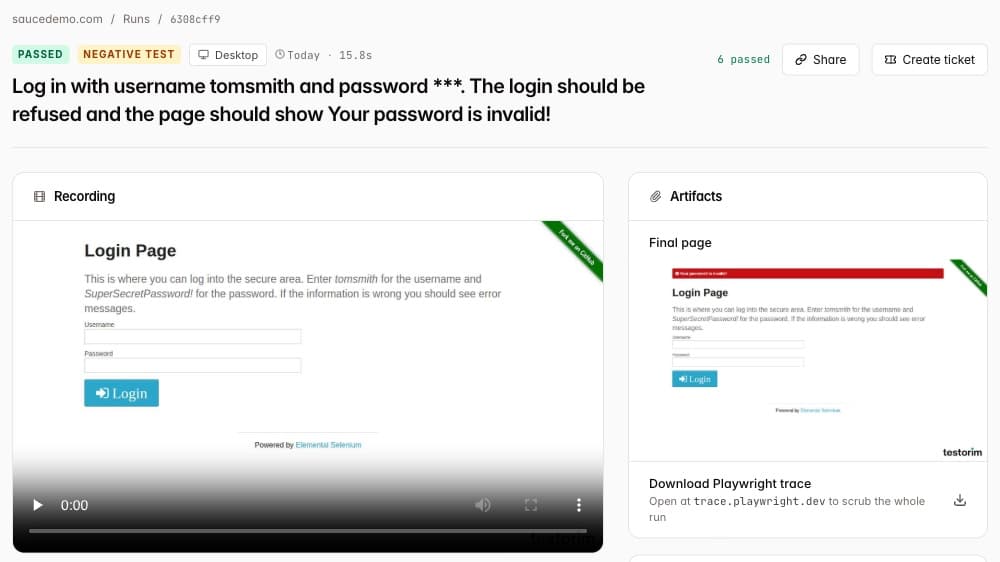
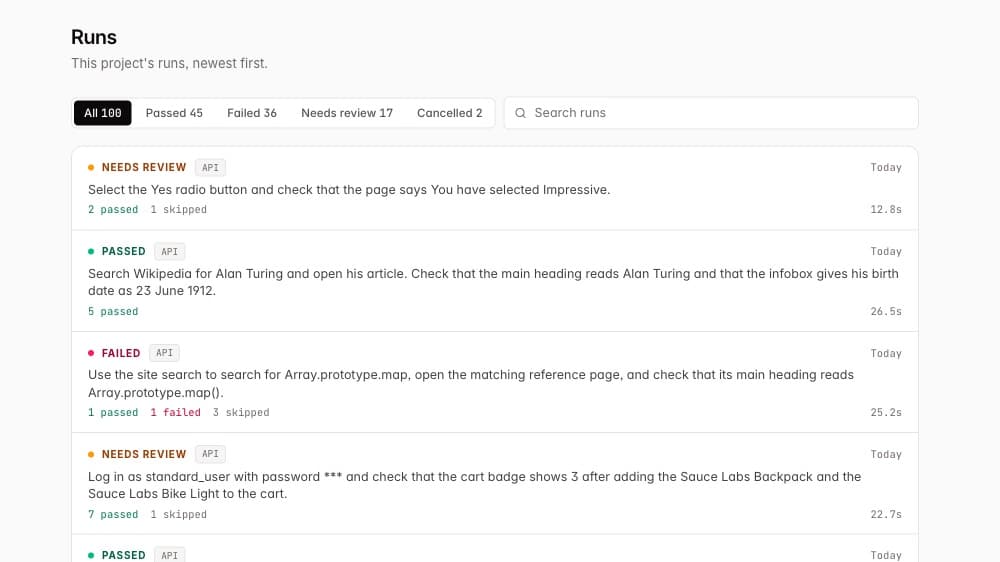
Real runs from the app, on public sites and practice apps.
Planning
The AI reads your instruction, plans the browser actions, and keeps the run anchored to what a user should experience.
Execution
Clicks, typing, navigation, cookies, JavaScript, and timing happen in a real browser, not a mocked DOM.
Reporting
Every run can include video, trace, screenshots, console errors, network context, accessibility checks, and a written report.
A human writes a vague QA checklist and hopes someone executes it the same way each time.
Testorim: Testorim turns that intent into a repeatable browser run with artifacts.
A failed check turns into screenshots, Slack threads, and manual reproduction work.
Testorim: A failed run already includes the steps, browser evidence, and a report.
AI is bolted onto a testing workflow as a helper.
Testorim: AI is part of planning, choosing elements when a name is ambiguous, and report writing.
Give Testorim your app's address and say what a user should do and what should be true at the end. Private and localhost addresses are refused, so a staging copy on a public address is the usual target.
An AI model turns the sentence into browser actions: open a page, type, click, check what the page shows. Each one runs in a real Chromium browser you can watch. Elements are found by role, label, placeholder and visible text; when a name matches more than one, a model looks at the live page and picks the one the step means.
Passed, failed or needs review, with a video, a screenshot per step, a Playwright trace, an accessibility scan, console and network errors, and a report saying whether the app or the test was at fault.
A run you trust becomes a saved procedure that replays without calling the AI for planning: on a schedule, from CI, the CLI or the REST API, or against a GitHub pull request's preview link.
Illustrative example, not a customer story. The app is an invented project tool on a public staging address.
The request
“Sign up with a new email address and a password, and check that the dashboard opens and says Welcome.”
The steps Testorim plans
When it passes, the report says
Passed. 6 of 6 steps passed. The form took a new address and the password, Create account led to the dashboard, the page read Welcome and the New project button was on screen.
When it fails, the report says
Failed at step 4. Create account was found and clicked, but the page stayed on /signup, showed “Something went wrong”, and the sign-up request returned a server error. This points to the app, not the test. The video, screenshots and network error are attached.
A third result, needs review, means no step failed but something could not be confirmed, so a person should look before trusting it.
Scripted tests written in Playwright, Selenium or Cypress are the older way to automate a browser, and still the right tool for a lot of work.
| Scripted tests | Testorim | |
|---|---|---|
| Who writes it | An engineer, in code. | Anyone who can describe the flow in a sentence. |
| Finding elements | Selectors the author chooses and updates when the page changes. | Role, label, placeholder and text, with a model reading the live page when that is ambiguous. |
| Cost | Open-source frameworks are free; you pay in engineering time and CI minutes. | $19, $79 or $199 a month, after a 3-day trial with a card. Sign-up is currently by waitlist. |
It tests web apps in a browser. Native iOS or Android apps and isolated component tests are out of scope.
localhost, private networks and internal addresses are refused on purpose. Use a staging copy on a public address.
A live chat run can pause and ask you for a 2FA, email or SMS code. A scheduled or CI run cannot, because nobody is there to answer.
Two runs of the same sentence can be planned differently. Save a run as a procedure when you want identical steps every time.
“Check the site works” gives a weak test. Say what should be true when the flow is done.
Sign up, paste your app URL, and describe one critical path. Testorim turns that into a real-browser run with evidence your team can inspect.
Plans from $19 a month. Cancel any time.
Testing a web app by describing a user flow in plain English and letting an AI model plan the browser steps, which then run in a real browser. In Testorim the steps run in Chromium, and the result is a verdict with evidence, not a model's opinion of a screenshot.
A new test does. A saved procedure replays its saved steps without calling the AI for planning, so repeat runs follow the same steps.
The written report says which one a failure points to, and the video, screenshots, trace and console and network errors are there to check it against.
Traditional frameworks such as Playwright execute code written by a team. AI-driven QA starts with a plain-English description, uses a model to plan the first browser run, and presents the resulting steps and evidence. In Testorim, a saved procedure replays stored steps instead of receiving a new plan; ordinary resolution still has an AI-assisted healing fallback when needed. That makes AI-assisted authoring and repeatable regression testing complementary rather than competing approaches.
Yes, once saved. Trigger a procedure from CI, the testorim CLI on npm or the REST API, on a schedule, or against a GitHub pull request's preview link. A step that needs a one-time code cannot run unattended.
After a browser run, Testorim scans the page the test reached and attaches the findings to the run alongside the functional result. That makes accessibility a repeatable release signal, but it is not a substitute for keyboard testing, assistive-technology testing, or an accessibility specialist's review.
Include the exact failing step, the expected and actual outcome, the environment or preview URL, and evidence that lets another person watch or inspect the failure. Testorim creates a paste-ready ticket from a failed run with reproduction steps and links to its video and trace; it does not file the ticket into Jira or another tracker automatically today.
Have the test runner collect the failed step, expected and actual behavior, environment, and evidence from the same browser run, then format those details into a ticket template. Testorim does this after a failed run: it produces a paste-ready ticket with reproduction steps and links to the video and trace. Review it before filing, because the evidence describes what the run observed rather than making a product decision for you.
Testorim does not automatically create an issue in Jira today. It generates a paste-ready ticket from the failed run—reproduction steps, expected versus actual behavior, and video and trace links—so a team can review and file it in Jira, Linear, or another tracker. An automatic tracker integration should be treated as a separate workflow with project, duplicate, and ownership rules.
A Playwright trace is a time-ordered recording of a browser run that can be opened in the Playwright trace viewer. It helps a developer inspect the steps, page state, screenshots, and timing around a failure instead of trying to reproduce it from a short error message. Testorim includes a trace with a run when it is available, alongside the report and video.
Capture browser console errors and warnings, failed or unexpected network requests, the request context needed to identify the page or environment, and the step where each signal occurred. Pair that context with screenshots, video, and a trace so a developer can distinguish an application failure from a broken test or runner problem. Testorim surfaces console and network context in its run evidence.