Automated website testing without writing Playwright.
Automated website testing means software uses your site the way a visitor would, in a real browser, and checks each step worked. With Testorim you describe the flow in plain English, it runs in a real browser, and a run you trust becomes a repeatable test with a video, a Playwright trace and a written report. No selectors and no test code.
Join the waitlist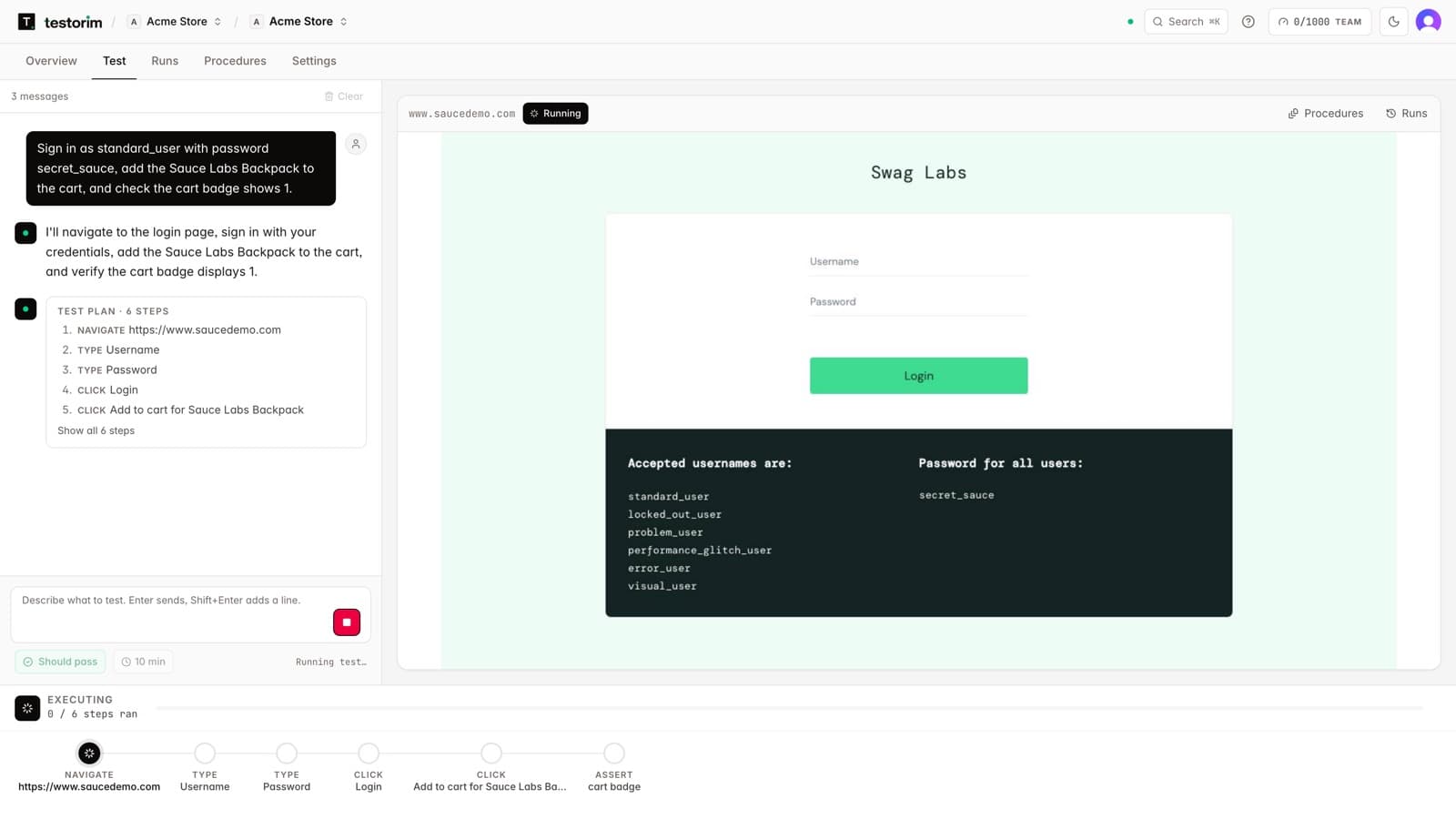
How to automate website testing.
- 01
Describe what a visitor should be able to do
One flow per test, ending with what should be true: "Invite a teammate from Settings and check they appear under Pending invites." No selectors, no script.
- 02
Testorim plans the steps
An AI model turns the sentence into steps, and a second check confirms the plan covers everything you asked before anything runs.
- 03
It runs them in a real browser
Each element is found through stable signals first: its role, label, placeholder and visible text. If the interface changed and none of those match, AI-assisted resolution locates the intended control, and the recovery is recorded with the run.
- 04
You get a verdict with evidence
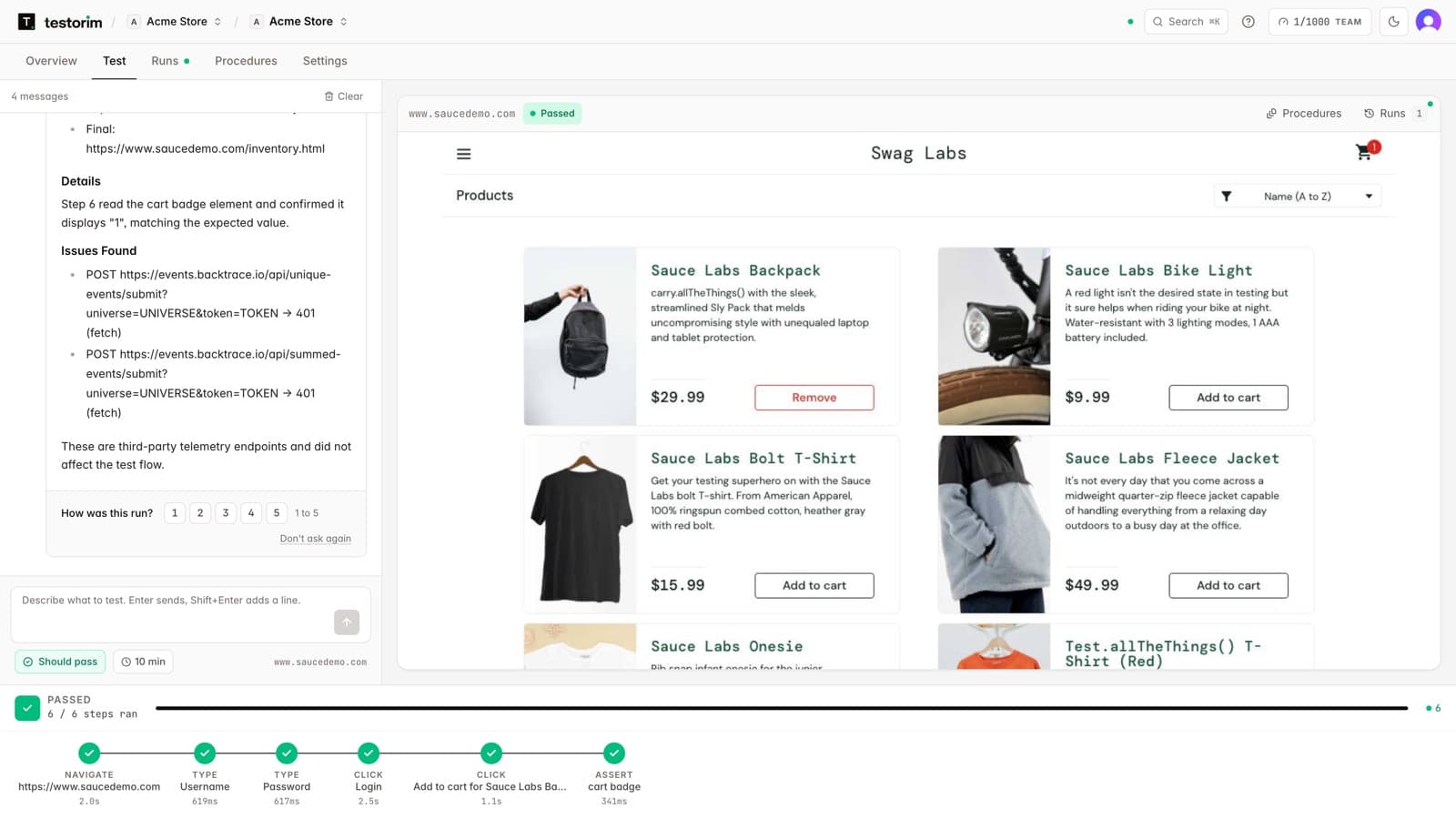
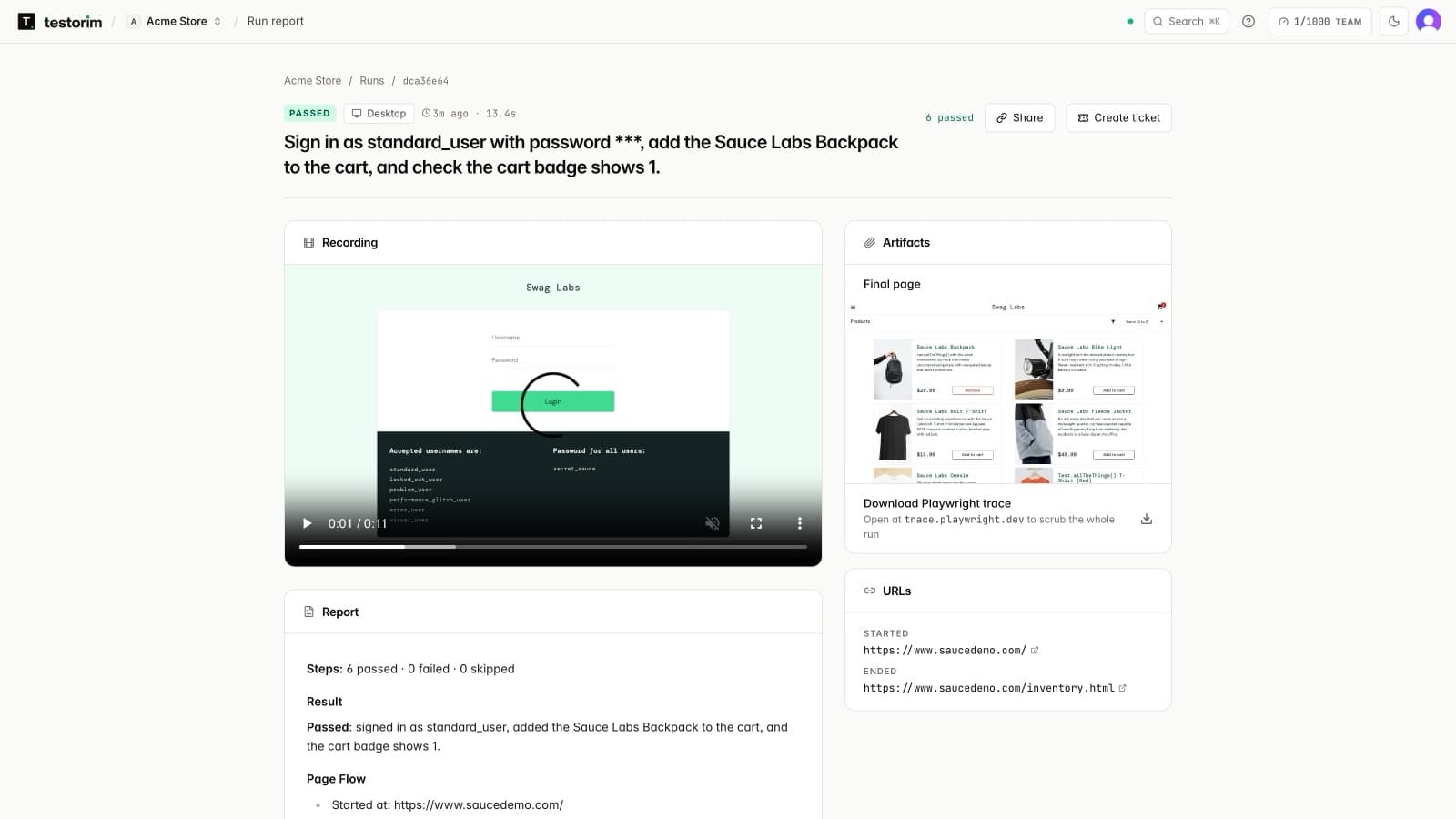
Passed, failed or needs review, with a video, a screenshot of every step, a Playwright trace, an accessibility scan, the page's console and network errors, and a report that says whether the app or the test was at fault.
- 05
Save it and it becomes a repeatable test
A saved procedure replays the same steps every time without re-planning them, on a schedule, from CI, or against a pull request's preview link.
Every run comes back with proof, passed or failed.
Video
The whole run, from the first page to the last step.
Screenshots
One per step, so a failure shows the page as it was.
Playwright trace
Download it and open it at trace.playwright.dev to step through every action.
Console and network errors
Failed requests and script errors the page produced, listed in the report.
Accessibility scan
An automated accessibility check of the page on every run.
A written report
What each step saw, and whether a failure points at the app or the test.
A ticket from a failure
One click turns a failed run into a ticket with the steps to reproduce it.
A settings flow, tested before every release.
Illustrative example, not a customer story. The app, the account and the teammate's address are invented.
The request
“Sign in as the QA account, open Settings, invite teammate@example.com as a member, and check they appear under Pending invites.”
The steps Testorim plans
- 1navigateOpen /login
- 2typeEmail field: the QA account's email
- 3typePassword field: its password, masked in the report
- 4clickSign in button
- 5clickSettings link
- 6typeInvite email field: teammate@example.com
- 7clickSend invite button
- 8assertPending invites contains “teammate@example.com”
When it passes, the report says
Passed. 8 of 8 steps passed. The account signed in, the invite was sent, and teammate@example.com appeared under Pending invites. Saved as a procedure and scheduled every weekday at 09:00.
When it fails, the report says
Failed at step 8. Send invite was clicked and the page showed “Invite sent”, but Pending invites stayed empty. Every earlier step passed, so this points to the app: the list did not update after an invite the page confirmed.
A third result, needs review, means no step failed but something could not be confirmed, so a person should look before trusting it.
Testorim vs writing Playwright tests yourself.
Playwright is an excellent framework, and teams with engineers to write and maintain tests should use it. Testorim is for the checks nobody has time to code, and for people who are not writing TypeScript.
| Writing Playwright | Testorim | |
|---|---|---|
| Writing a test | A developer writes TypeScript: selectors, waits and assertions. | Anyone writes one sentence that ends with what should be true. |
| Finding elements | Selectors you choose and keep up to date. | Role, label, placeholder and visible text on every run, with AI-assisted resolution when the page changed, recorded with the run. |
| When the UI changes | Someone edits the selectors that broke. | A moved button or a renamed class is found again by its label. A changed flow is described again. |
| A red run | A stack trace and whatever you added to the test. | Video, screenshots, trace, console and network errors, and whether the app or the test was at fault. |
| Running it | Your CI, your browsers, your setup. | Hosted browsers, triggered from CI, the CLI, the REST API, a schedule or a pull request. |
| Owning the code | You own it from day one. | Any saved test exports as Playwright TypeScript whenever you want it in your repo. |
When writing Playwright yourself is the better choice.
- Your engineers already maintain a Playwright suite and like it.
- You need to test on localhost or inside a private network.
- The test needs custom code: mocking network responses, seeding a database, or precise timing.
- You want every test reviewed in pull requests as code from the start.
What it cannot do.
Websites and web apps
Anything that opens in a browser tab. Native phone apps and desktop programs are out of scope.
It must be reachable
The site has to be on the public internet, such as production or a public staging address. localhost and addresses inside your network are refused.
Sign-in codes need a person
If signing in asks for a code by email or SMS, a run you are watching can ask you for it; a scheduled run cannot, so use a test account without one.
You choose what is covered
It checks the journeys you describe and does not wander the site on its own, so an undescribed page is an untested page.
It acts like a visitor
Forms really submit and accounts really get created, so point it at staging with test accounts where you can.
Quick answers
What is automated website testing?
Software that uses a website the way a visitor would, in a real browser, and checks that each step worked: pages load, buttons do what they should, forms submit, and the right text appears. It replaces clicking through the same checks by hand before every release.
Do I need to write code to automate website tests?
Not with Testorim. You describe the flow in plain English, it runs in a real browser, and the run you trust is saved as a repeatable test. If you later want the test in code, it exports as Playwright TypeScript.
What happens when the website changes?
Each step finds its element through stable signals first: role, label, placeholder and visible text. If those fail because the interface changed, AI-assisted resolution locates the intended control, and the recovery is recorded with the run rather than hidden. When the flow itself changes, describe it again and save the new run.
Does every test run call the AI again?
No. Saved procedures replay their stored steps without re-planning the test. A model still writes the report, and helps find an element only when no stable signal matches it.
Can automated website tests run in CI?
Yes. Saved tests run from CI with the testorim CLI or the REST API, on a schedule, or against a GitHub pull request's preview link, and failures can be sent to Slack or email.
Want the checks to start from? The pre-release QA checklist has 28 of them, most with the sentence that automates them.
Keep reading.
How to test your website with AI
The site owner's guide: give the address, describe what a visitor should do, read the report.
AI browser testing
What the AI does inside a run, from the sentence to the report.
No-code QA vs Playwright
Authoring speed, maintenance and lock-in, compared in detail.
No-code regression testing
Replay the saved tests before every deploy.